Atlas

Every drive. One search.

Atlas indexes every external drive, plugged in or not, into one instant search. Find the file, then fetch the right drive.

Your shelf

Every drive, exactly where it lives.

Each drive is drawn the way it looks on the shelf and grouped by where it lives. Click one to see its capacity, folders, file types and what is backed up elsewhere, then browse it, rescan it, edit it or mark it out of the studio.
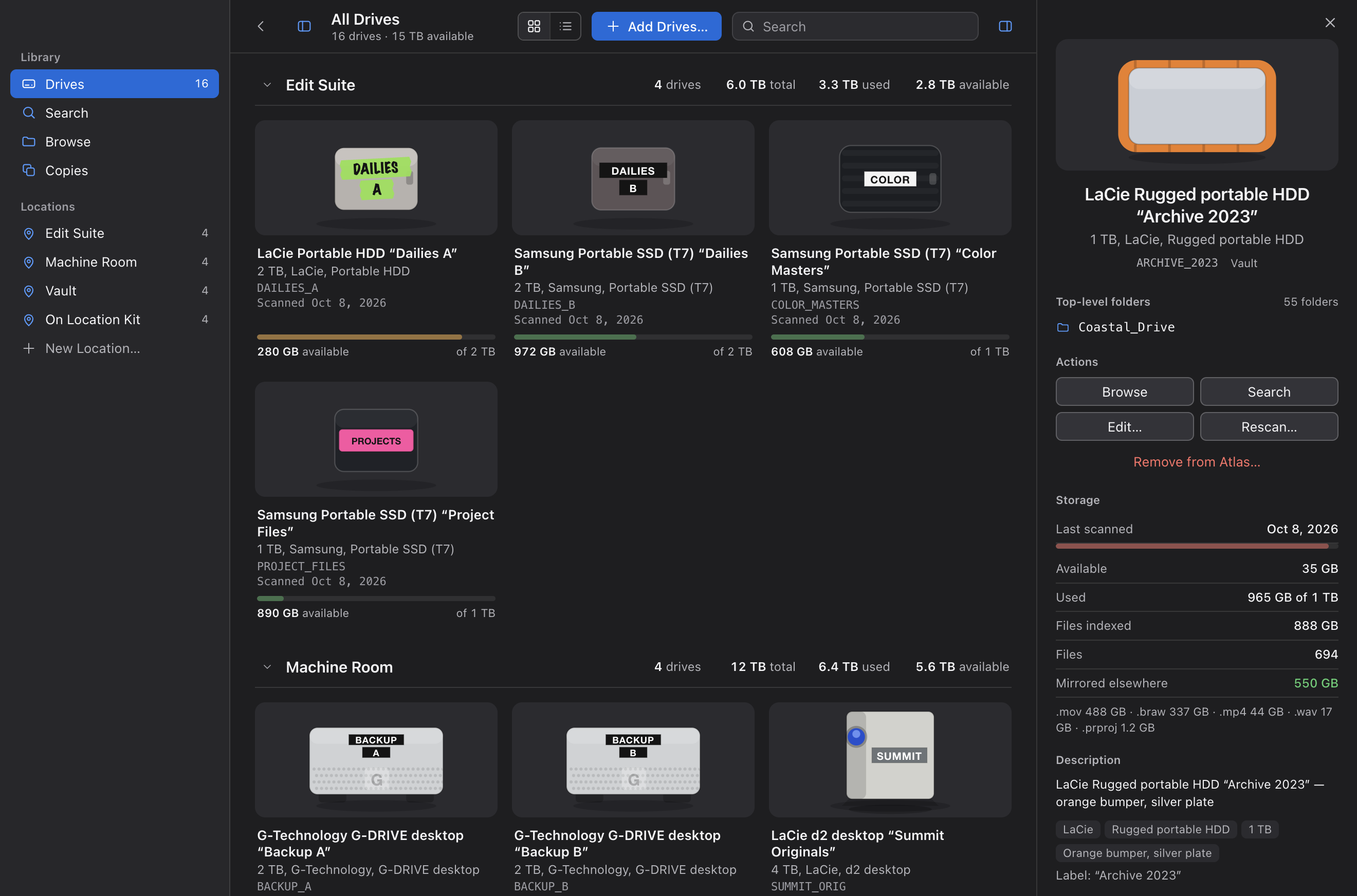
Inspector showing a drive's folders, storage and what is mirrored elsewhere

Search

Millions of files. One search box.

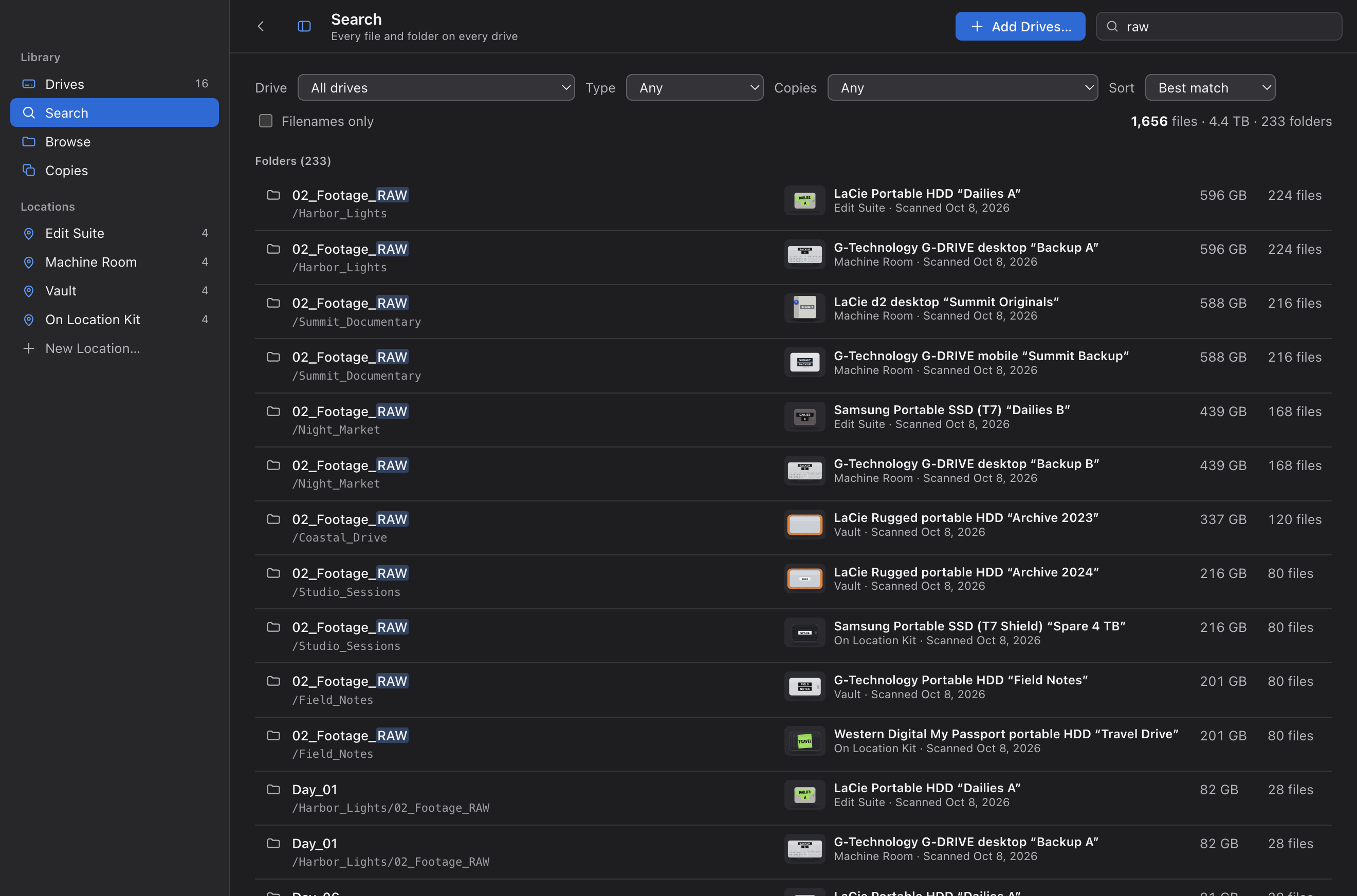
One search bar, always at the top. A local SQLite full-text index covers every file on every drive, mounted or not, and identical copies are grouped so you see each folder once. Narrow by drive, type or copies, then hit “Where is it?” to learn which shelf to walk to. Typical searches take 15 to 130 ms across 3 million files.

Search results for 'raw' across all drives

Browse

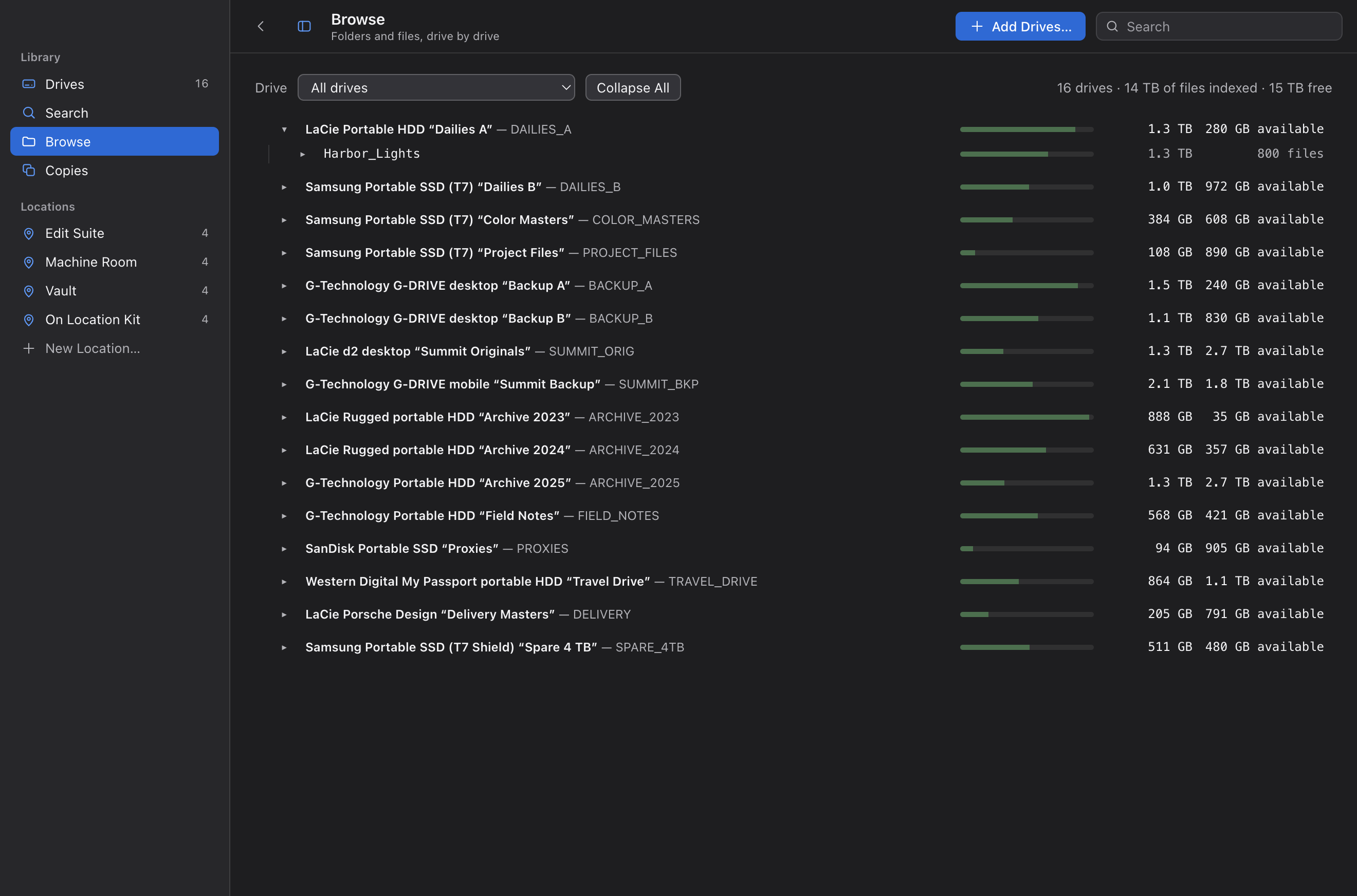
Browse drives that aren't plugged in.

Open any drive, plugged in or not, and walk its folders with sizes, copy counts and where else each folder lives. Answer “which drive has Day 3?” without a cable.

Browse view listing every drive with used and available space

Copies

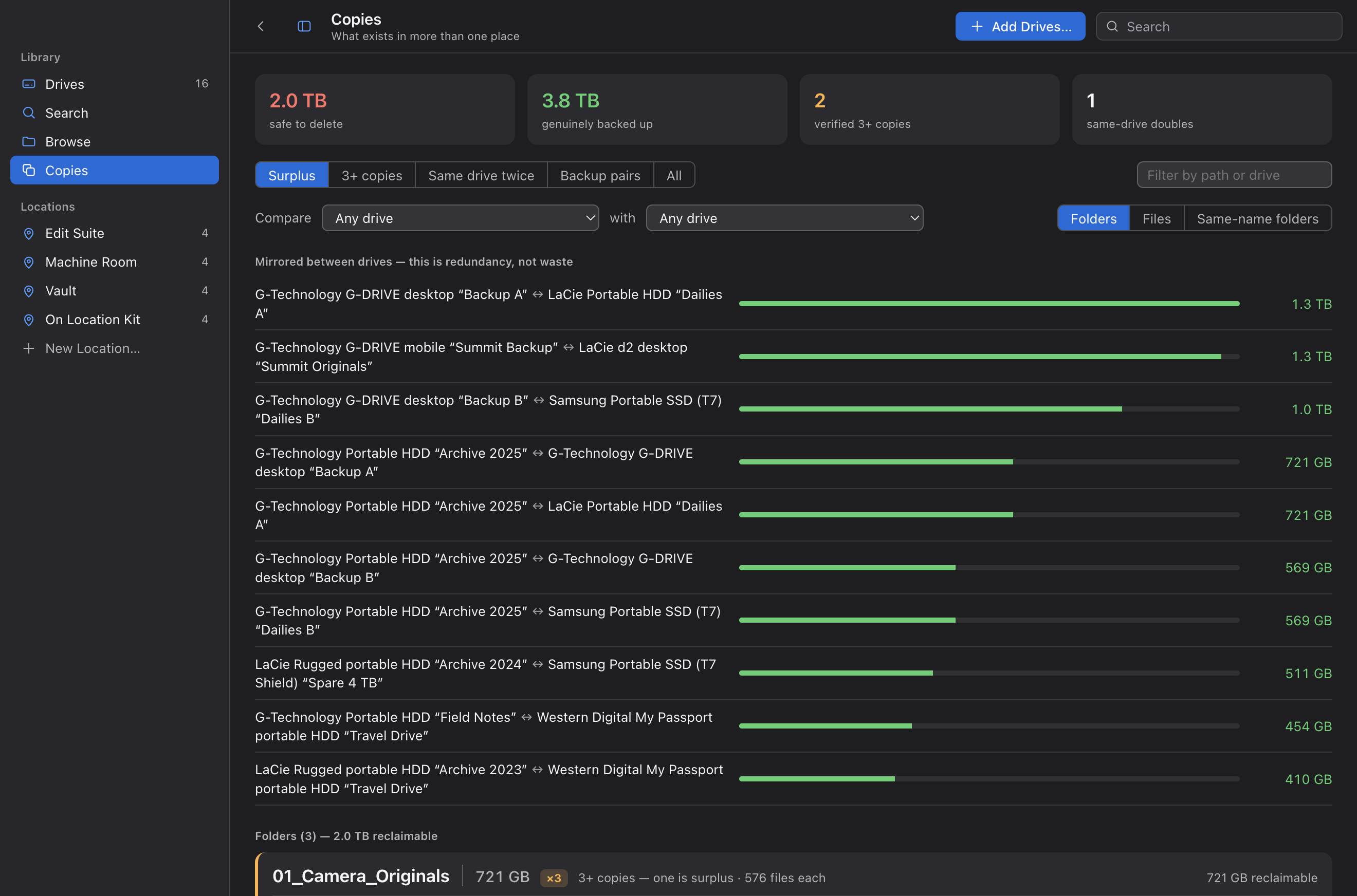
Backup, or just taking space?

Two copies on two drives is a backup, and Atlas warns when both sit in the same bag. Two on the same drive is surplus, and Atlas totals the space you can reclaim. Matching is by name and exact byte size, and Atlas only lists, never deletes.

Copies view showing mirrored backup pairs and folders that are safe to delete

History

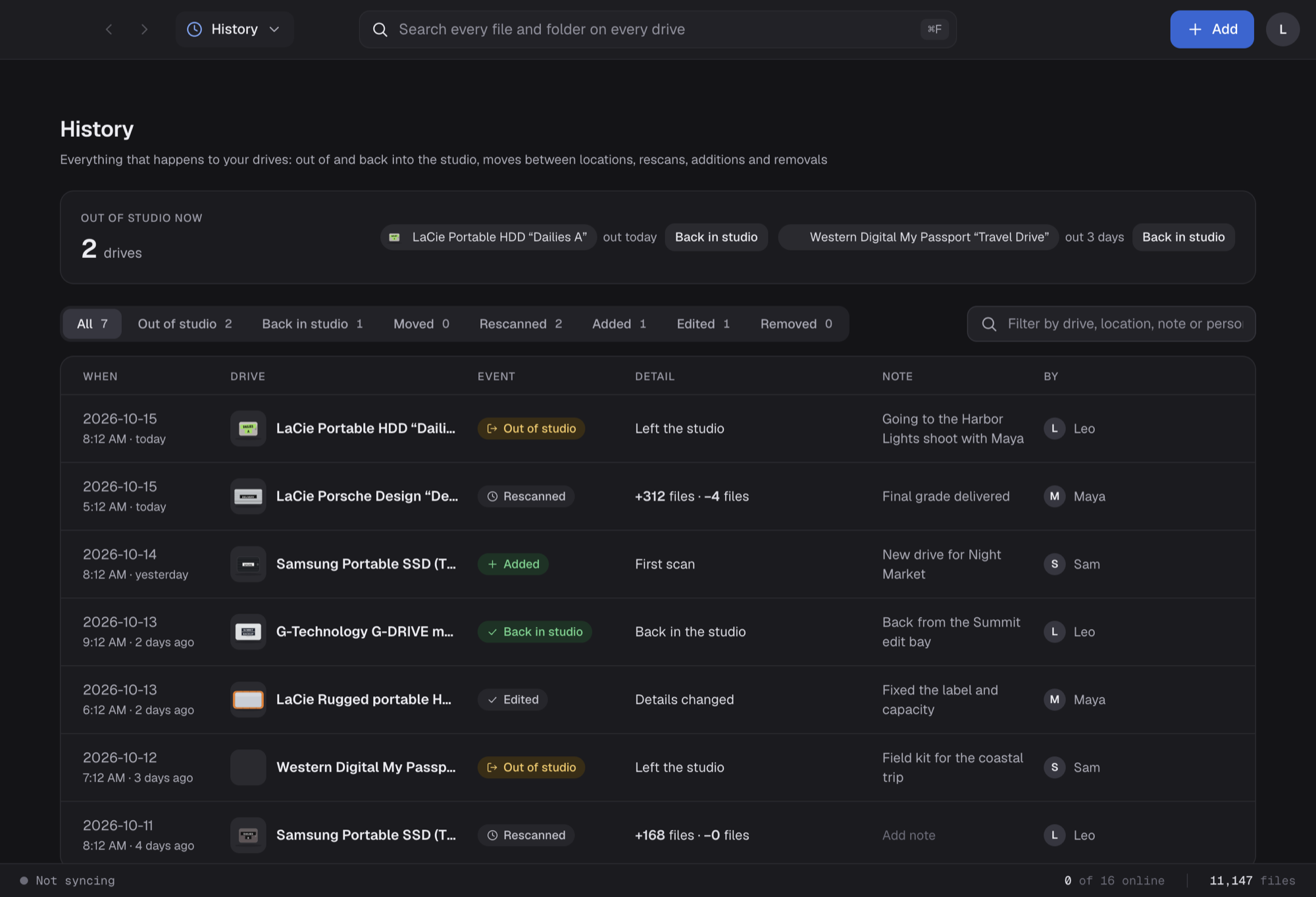
Who took which drive, and where it went.

Every drive taken out of the studio, brought back, moved, rescanned, added or edited is logged with a note and who did it. The drives that are out right now sit at the top, one click from “Back in studio”.

History screen listing drives that are out of the studio and a log of recent events with notes and people

Team sync · Live in beta

One catalogue for the whole house.

A post house has a dozen people and hundreds of drives. Team sync gives everyone one shared catalogue, kept current in the background.

Local-first sync

Search works offline. Changes sync in the background, with live progress.

History

Every drive taken out of the studio, returned, moved, rescanned, added or removed is logged with a note.

Full history

Every edit is kept with who made it and when, on the server's clock.

Sign-in and invites

Email sign-in. Teammates join with a one-time invite code.

Admin

Runs the studio

Manages people and the account.

Editor

Keeps it current

Scans drives and edits the shelf.

Viewer

Finds what they need

Searches and browses, read-only.

Photo to icon · Live in beta

Snap a photo. Get the icon.

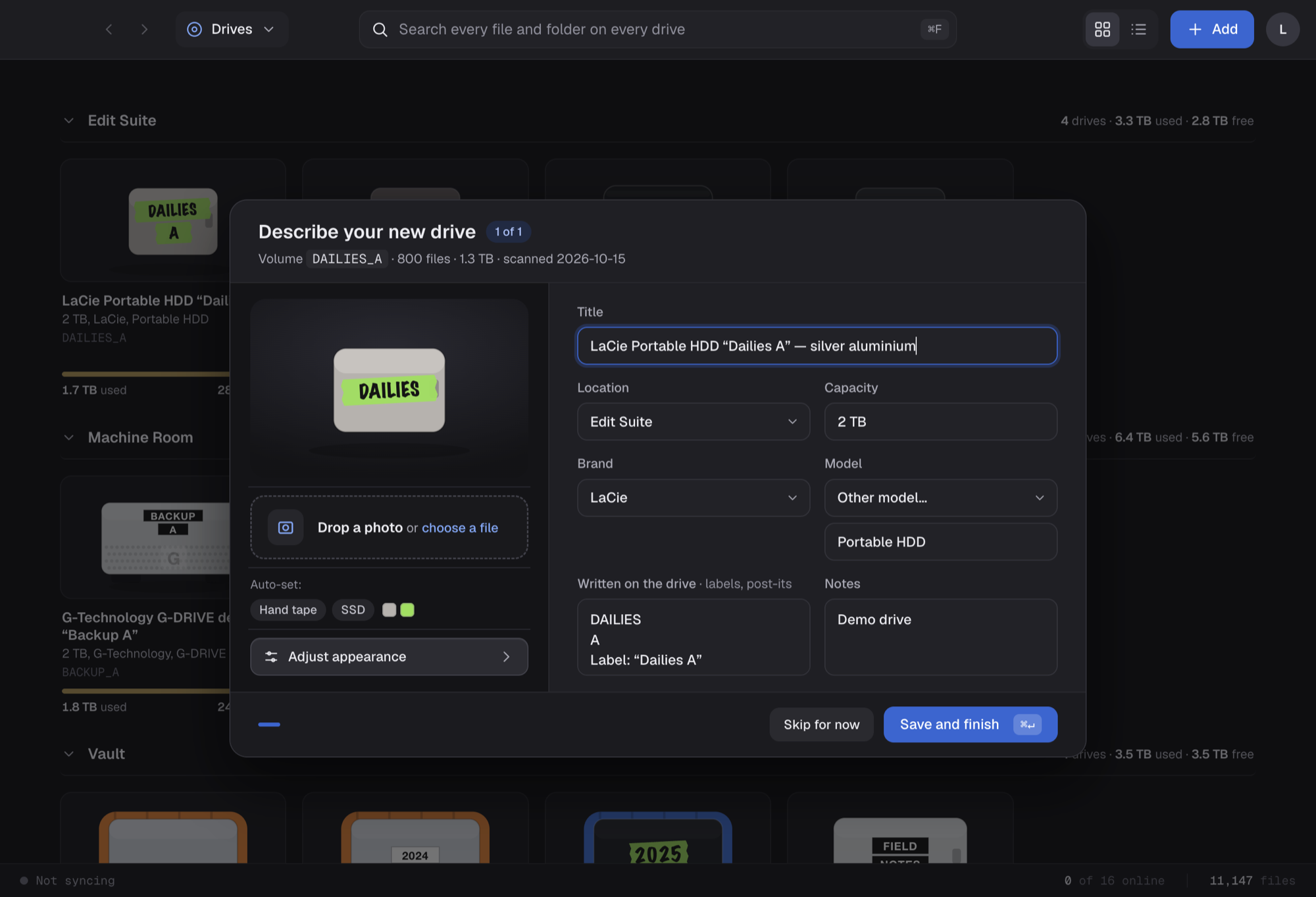
Drop a photo of a drive into Atlas and it reads the brand, model, capacity and label, then draws the icon: the shape, the colour and the tape. You review every field before saving.

Describe your new drive dialog with a live icon preview and a drop box for a photo of the drive

Read-only scans

Atlas never writes to your drives. A stopped scan changes nothing.

Your Mac, too

Index your home folder or startup disk alongside your drives.

Capacity at a glance

Amber at 85%, red at 95%, always with words.

Built for the Mac

Apple silicon, menu bar, undo, keyboard control, dark mode.

Beta

Where Atlas is today.

Search, duplicate analysis and team sync are built and tested.

Working now

  • LIVEBuilt for scale. Tested with 3.7 million files across 42 drives.
  • LIVETeam sync. Accounts, roles, invites and a shared catalogue across Macs.
  • LIVEMovement history. Every drive in or out is logged for the team.
  • LIVERead-only scans. Stopping midway leaves the index untouched.
  • LIVEDuplicate analysis. Backups and surplus copies, told apart.
  • LIVEPhoto to icon. Photograph a drive and Atlas fills in the details and draws it.

Coming next

  • NEXTSigned installer and auto-updates. Beta builds are installed by hand.
  • NEXTBilling. Plans for studios.
  • NEXTSettings. Default scan scope and preferences.